
Cmd-Tab shows you apps. You were looking for a window.
The built-in switcher is fine when you have one window per app. It stops helping the moment you have four Safari windows and a Photoshop document buried behind three others. Canopy picks up where Cmd-Tab leaves off.
Free through December 31 while the beta runs. No sign-in required. Launches January 1, 2027.
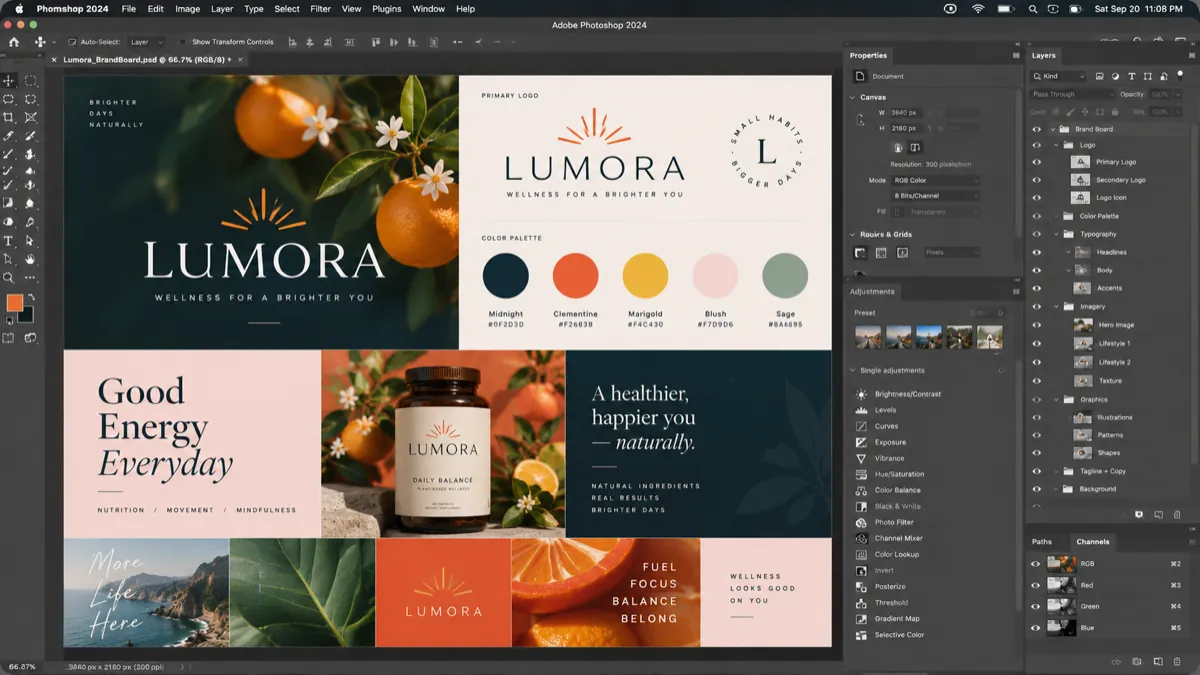


 LumoraClient+
 Photoshop
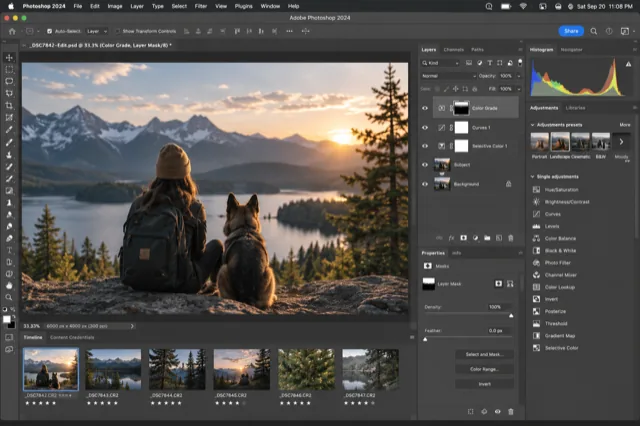 Photoshop
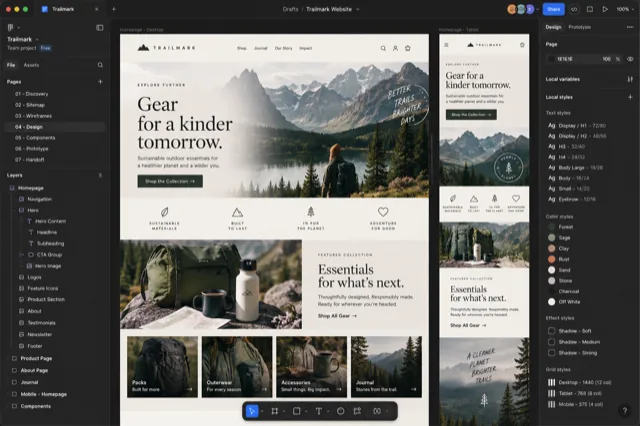 Chrome
 Finder
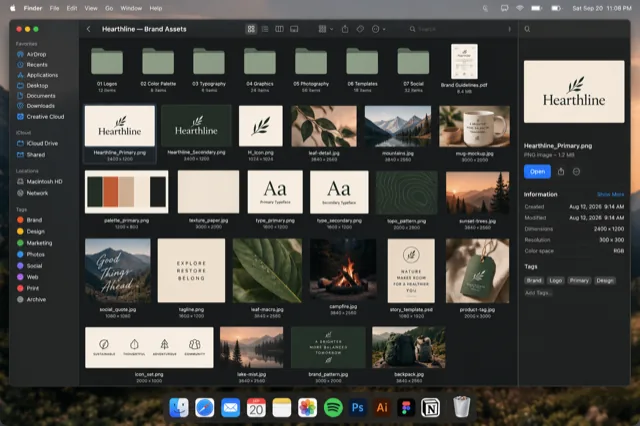
Canopy over a Photoshop brandboard. The highlighted card is the window that comes forward when you let go.
What Cmd-Tab actually does
Three things trip people up. ⌘ Tab moves between applications, so it can't take you to a specific window. It shows an icon, not the window, so you're recalling rather than recognizing. And if every window of an app is minimized, switching to that app brings nothing forward unless you know to hold ⌥ while you release. Most people don't know that, and end up clicking the Dock instead.
The companion shortcut, ⌘ `, cycles windows inside the current app, one at a time, blind. With three windows it works. With ten it's a slot machine. Both are documented in Apple's list of Mac keyboard shortcuts.
The same gesture, a different result
| What matters | Cmd-Tab | Canopy CMD |
|---|---|---|
| Switches between | Applications | Windows, grouped by application |
| What you see | App icons | A live snapshot of each window |
| Minimized windows | Hidden unless you hold Option on release | Shown, dimmed and marked |
| Find by typing | No | Yes |
| Adobe documents | The app, not the document | One card per document |
| Cost | Built in | One-time purchase, free tier for Safari and Finder |
Canopy doesn't replace Cmd-Tab; it sits next to it. Hold ⌥ Tab instead and the grid opens. Keep tapping to move, type to filter, release to switch. The muscle memory carries straight over.
How Canopy does it
Hold ⌥ Tab anywhere on your Mac, or ⌘ ` inside Safari. Canopy opens a clearing: every window from the apps in its roster, shown as a real snapshot, grouped by app and labeled with the page title, the file name, or the folder. Keep tapping to move the highlight, or just start typing to filter. Release the key and that window comes forward.
Minimized windows are in the grid too, dimmed and marked, because a window you tucked away is still a window you might need. Adobe documents that live as tabs inside one app window each get their own card. Safari profiles show as colored badges so Work and Personal stay obvious.
Canopy is curated, not universal. It covers the apps creative and technical people live in: Safari, Chrome, Firefox, Arc, the Adobe suite, Figma, Finder, Terminal, VS Code and more, with page-level detail for browsers and per-document cards for Adobe. If you need a switcher for every process on the system, one of the general tools below is the better fit, and we say so.
What it costs
Canopy is a one-time purchase, not a subscription, and the app never stops working. At launch on January 1, 2027 it is $19.99 for one Mac or $29.99 for three, with a year of updates included and an optional renewal after that. There's a free tier that covers Safari and Finder forever. Until then the beta is free, and beta testers can lock in the founding price of $9.99 or $14.99 with lifetime updates. Every purchase plants a tree.
Questions people ask
Does Canopy change or disable Cmd-Tab?
No. Cmd-Tab keeps working exactly as before. Canopy adds Option-Tab for everything and Cmd-backtick inside Safari, and you can change both.
Why does Cmd-Tab skip my minimized windows?
macOS treats a minimized window as put away. Selecting its app in Cmd-Tab does nothing unless you hold Option as you release Cmd. Canopy simply shows minimized windows in the grid.
Can Canopy switch to a specific Safari tab?
Canopy switches windows. It shows the page each window is on, so you can tell them apart, and Safari's own tab search covers tabs inside a window.
Is there a free version?
Yes. The free tier covers Safari and Finder windows forever. Paid tiers add the full roster.
See every window at a glance.
Free while the beta runs. One key shows every window as a live preview.
Download the free beta