
An AltTab alternative that shows you the window, not just the app.
AltTab brings Windows-style switching to the Mac and it does that well. Canopy starts from a different question: when you have thirty windows open, how do you find the right one in under a second?
Free through December 31 while the beta runs. No sign-in required. Launches January 1, 2027.
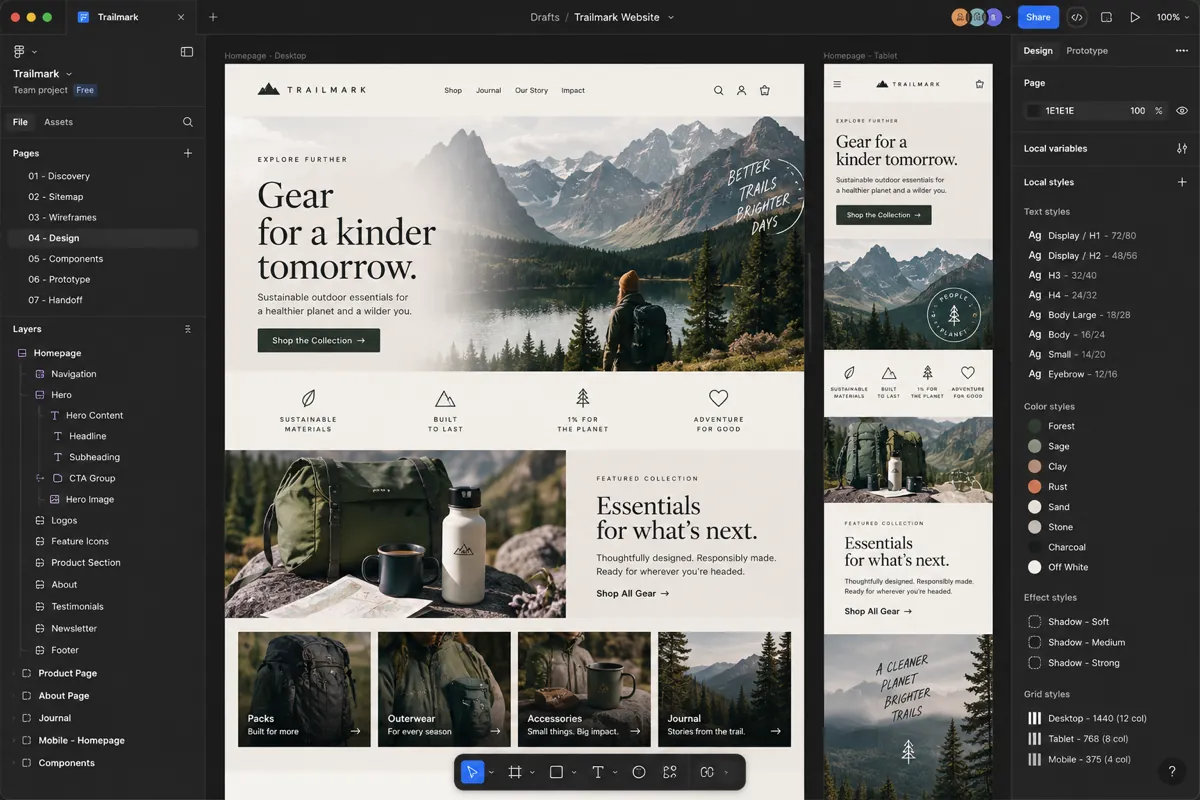


 LumoraClient+
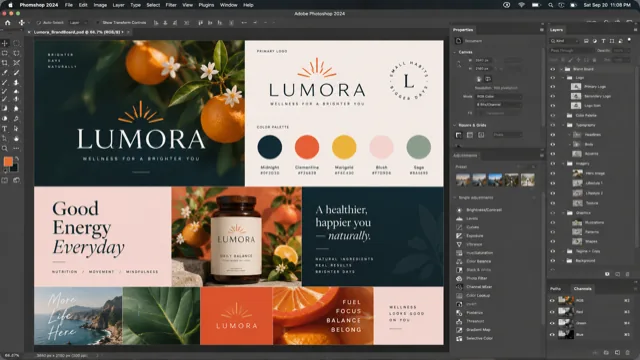 Photoshop
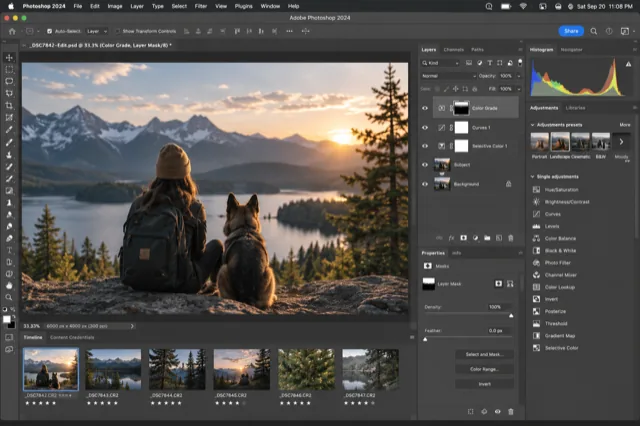 Photoshop
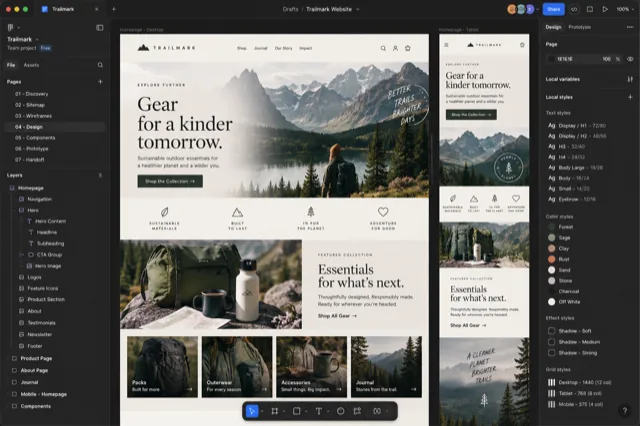 Chrome
 Finder
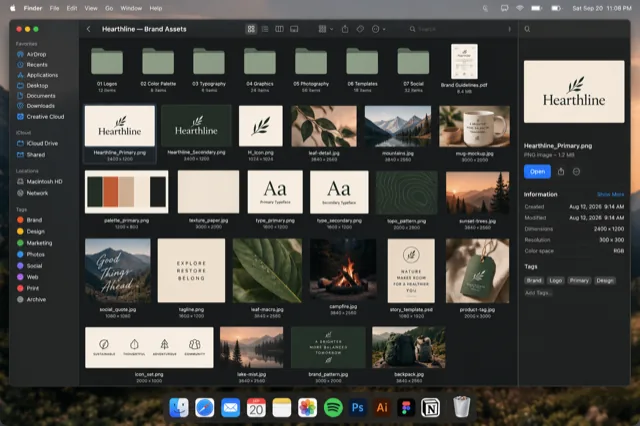
The Canopy switcher over a Figma window: every window as a snapshot, grouped by app, with a search box that filters as you type.
Where AltTab and Canopy agree
Both show you windows instead of app icons. Both include minimized windows, which macOS itself hides from ⌘ Tab. Both open with a key you hold and release. If you've used AltTab and liked the idea but wanted more from it, Canopy will feel familiar in the first second.
Where they differ
| What matters | AltTab | Canopy CMD |
|---|---|---|
| Price | Free and open source; a paid Pro tier adds search, styles and more shortcuts | One-time purchase, free tier for Safari and Finder |
| Coverage | Every app and window on the system | A curated roster of the apps creative and technical people use |
| Previews | Thumbnails from the window | Live snapshots, including minimized windows |
| Grouping | A flat row of windows | Grouped by app, with an app strip to filter |
| Find by typing | In the paid Pro tier | Included: type any part of a title, URL, file or profile |
| Adobe documents | One card per app window | One card per open document |
| Safari and Chrome | Window titles | Page title, URL and Safari profile badge |
| Workgroups | No | Name the windows that belong to one project and treat them as one |
| Support | Community, GitHub issues | Human email support on paid tiers |
Pick AltTab if you want a free, universal alt-tab that covers every process and you enjoy tuning it. It's a genuinely good piece of software, and its Pro tier is a fair price for search if that's all you're missing.
Pick Canopy if your day happens in browsers, Adobe, Figma, Finder and a terminal, and the problem is recognition: telling twelve Safari windows apart, or reaching a Photoshop document buried three tabs deep, without hunting.
Canopy is curated, not universal. It covers the apps creative and technical people live in: Safari, Chrome, Firefox, Arc, the Adobe suite, Figma, Finder, Terminal, VS Code and more, with page-level detail for browsers and per-document cards for Adobe. If you need a switcher for every process on the system, one of the general tools below is the better fit, and we say so.
How Canopy does it
Hold ⌥ Tab anywhere on your Mac, or ⌘ ` inside Safari. Canopy opens a clearing: every window from the apps in its roster, shown as a real snapshot, grouped by app and labeled with the page title, the file name, or the folder. Keep tapping to move the highlight, or just start typing to filter. Release the key and that window comes forward.
Minimized windows are in the grid too, dimmed and marked, because a window you tucked away is still a window you might need. Adobe documents that live as tabs inside one app window each get their own card. Safari profiles show as colored badges so Work and Personal stay obvious.
What it costs
Canopy is a one-time purchase, not a subscription, and the app never stops working. At launch on January 1, 2027 it is $19.99 for one Mac or $29.99 for three, with a year of updates included and an optional renewal after that. There's a free tier that covers Safari and Finder forever. Until then the beta is free, and beta testers can lock in the founding price of $9.99 or $14.99 with lifetime updates. Every purchase plants a tree.
Questions people ask
Can I run AltTab and Canopy at the same time?
Yes. They listen for different shortcuts by default. Many testers keep AltTab on Option-Tab for everything and give Canopy Cmd-backtick in Safari, or the reverse.
Does Canopy show minimized windows like AltTab does?
Yes. Minimized windows appear in the grid, dimmed and labeled, and selecting one brings it back.
Is Canopy open source?
No. Canopy is a paid, one-time purchase (a year of updates included, lifetime for founders) with a free tier. It has no analytics, no tracking, and no cloud component; the privacy policy explains the one activation call it makes.
Does Canopy work with apps that aren't in the roster?
Not yet. The roster is curated so every card carries real detail, and it keeps growing. Ask for an app through Send Feedback and it goes on the list.
See every window at a glance.
Free while the beta runs. One key shows every window as a live preview.
Download the free beta